Quick answer
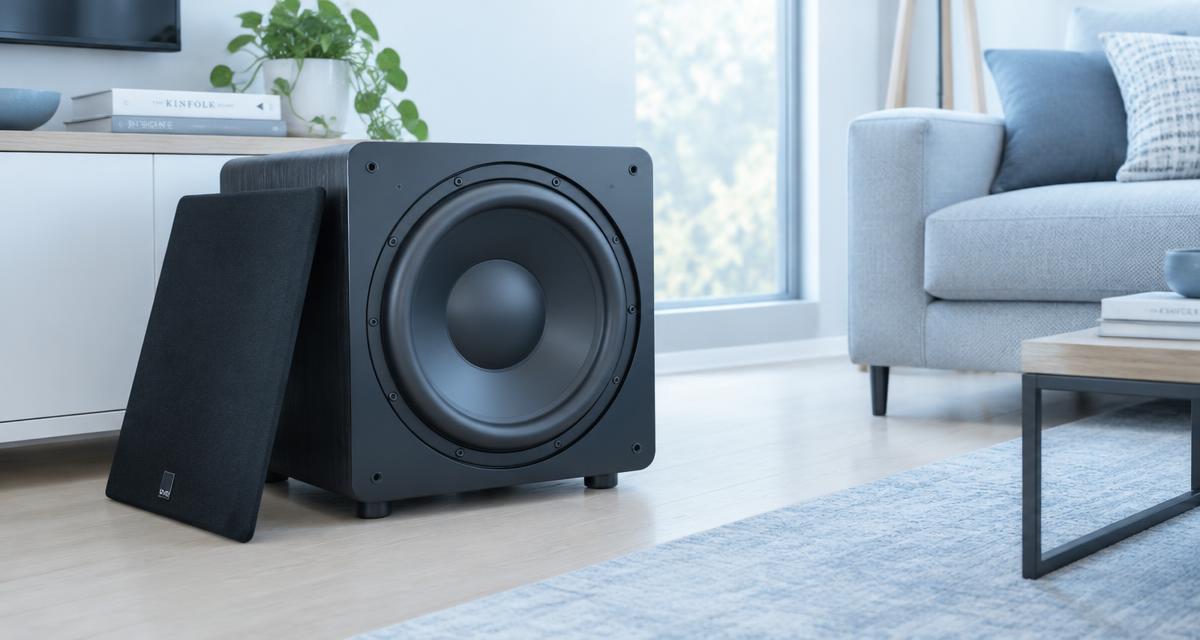
A subwoofer combines a driver, an enclosure and sometimes a mains powered amplifier. Each can cause noise or silence. Start with external checks and listening, not by opening the amplifier. Unplug equipment before touching cables or fasteners. Amplifier capacitors can retain hazardous energy even after disconnection, so leaving a unit unplugged is not permission to work inside. Burning smells, smoke, damaged power cords or repeated fuse failure call for qualified service.
Selles artiklis
- Separate diagnosis from electrical repair
- Confirm the signal path and basic settings
- Run a careful bass sweep
- Find rattles outside the driver first
- Investigate hum without defeating safety grounding
- Inspect the surround and cone carefully
- Recognize excursion and setup limits
- Compare repair and replacement options
- Quick answers
Separate diagnosis from electrical repair
A subwoofer combines a driver, an enclosure and sometimes a mains powered amplifier. Each can cause noise or silence. Start with external checks and listening, not by opening the amplifier. Unplug equipment before touching cables or fasteners. Amplifier capacitors can retain hazardous energy even after disconnection, so leaving a unit unplugged is not permission to work inside. Burning smells, smoke, damaged power cords or repeated fuse failure call for qualified service.
Make one change at a time and compare the same short recording afterward. Keep the source, volume and listening position consistent. Otherwise a different track or a louder setting can sound like a successful repair when nothing has changed. A simple note of the symptom, the action taken and the result makes the process easier to follow and gives a technician useful information if you later need help.
Confirm the signal path and basic settings
Check power, input selection, gain and the receiver’s speaker configuration. A receiver may send little bass to a subwoofer if its crossover or speaker size settings bypass that output. Use familiar bass content at low level. Check auto standby behavior and allow time for a signal to wake the unit. Reseat external cables with equipment switched off. A known good cable is a safer diagnostic purchase than replacing a driver on suspicion.
Check the manufacturer’s instructions for the exact model before applying advice written for another device. Speaker openings, protective meshes and water resistance arrangements vary. An opening that looks like a second speaker may actually serve a microphone or vent. Do not poke it to investigate. If a procedure requires force, unfamiliar chemicals or disassembly that you cannot confidently reverse, pause and choose a safer inspection or professional service instead.
Run a careful bass sweep
Subwoofer Test covers 20 to 200 Hz and can reveal where rattles appear. Start with low source level and conservative gain. Very low tones can demand substantial cone movement even when they sound quiet, so never turn them up just to hear them better. Use brief passes, keep children and pets away from the test area and stop for mechanical knocking, scraping or severe distortion. Testing should identify a symptom, not stress the system.
Use comfortable listening levels throughout the checks. Keep test tones away from your ears and avoid long sessions simply because improvement is slow. More volume is not a stronger cleaning treatment. Stop if the device develops unusual heat, severe distortion or a new mechanical noise. A short test should answer a specific question; once it has answered that question, silence the tone and decide what to do next.
Find rattles outside the driver first
Remove loose objects from the enclosure top and nearby shelves. A room fixture can resonate at the same pitch as the subwoofer, making a healthy driver seem faulty. Check the grille and accessible mounting hardware with power disconnected. Tighten only as the manufacturer specifies; overtightening can strip material or distort a frame. Compare the same short tone after each change. A rattle at one frequency does not uniquely identify a loose screw.
A browser tool depends on the playback path selected by your device. Before interpreting a result, confirm that Bluetooth headphones, a dock or another output have not taken over. Start playback with the on screen control, then check the appropriate volume setting. If the browser remains silent, try familiar audio elsewhere. A silent web page by itself does not establish that a physical speaker has failed.
Investigate hum without defeating safety grounding
Hum can come from a signal cable, a ground loop, interference or an internal amplifier fault. With power off, disconnect the signal input and compare behavior after restoring power safely. If the hum disappears, investigate upstream equipment and cable routing. Do not remove a protective earth connection or use an unsafe adapter. A correctly chosen signal isolator may help some systems, but persistent hum needs diagnosis rather than random outlet changes.
Do not treat a change in sound as proof that all damage is gone. A device can play normally while an unrelated electrical or charging problem remains. Watch for warnings and follow the relevant safety instructions before reconnecting power. Likewise, a faint low note may simply be outside a small speaker’s useful range. Judge recovery using ordinary speech and familiar music as well as controlled tones.
Inspect the surround and cone carefully
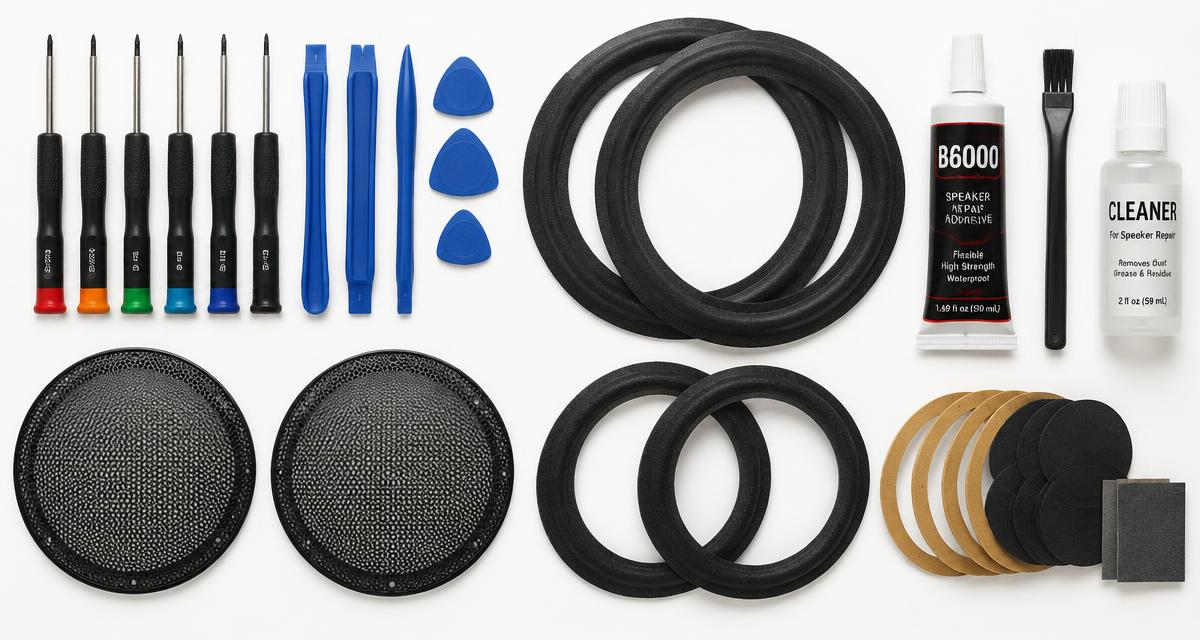
Look for splits, detached edges and deteriorating foam without pressing on the cone. A surround repair may be practical when the voice coil and frame are sound, but symptoms alone cannot confirm that. Scraping can have several causes and does not always require a new driver. Avoid universal household glue or improvised patches before checking manufacturer guidance. Added mass, stiffness or poor alignment can change performance and make a professional repair harder.
If you need service, describe the event and the remaining symptoms accurately. Explain whether there was liquid, impact, an update or gradual deterioration, and list the checks already attempted. Ask what the proposed repair includes and whether any seals or protective parts need replacement. A clear diagnosis and written estimate are more useful than ordering a part because someone else reported a similar sounding problem online.
Recognize excursion and setup limits
Distortion only at high level may reflect excessive gain, equalization, enclosure limits or insufficient power rather than a single failed component. Reduce bass boost and compare at a lower level. Phase and placement affect room response but do not heal damaged hardware. Tone Generator can hold a specific pitch briefly for comparison; do not run extended low frequency tones at high output. Match levels carefully so a louder setting does not masquerade as an improvement.
Allow time between attempts to inspect the result rather than repeating the same action automatically. Look for visible debris or moisture only from outside the opening, using ordinary good lighting. Do not insert a tool just to get a better view. If the condition is unchanged after cautious checks, that is useful evidence that the next step should be a different diagnostic approach, not greater pressure or louder playback.
Compare repair and replacement options
Ask a repairer to distinguish driver, enclosure and amplifier faults before pricing parts. A replacement driver needs compatible impedance, dimensions and enclosure suitability, not just the same diameter. A surround kit also needs the correct profile and adhesive. Obtain a quotation that includes labor and shipping. Repair can be worthwhile for some models and uneconomical for others; there is no universal rule that a powered subwoofer amplifier costs more to fix than to replace.
Quick answers
Can a sweep repair a subwoofer? No, it is diagnostic. Is silence proof of a blown driver? No, check signal and power first. Can I bypass the earth wire to stop hum? Never. Should I replace a fuse repeatedly? No, repeated failure needs service. Will a louder test help? It may worsen damage. Does an exact diameter guarantee compatibility? No, electrical and enclosure requirements matter too.