In dit artikel
- Quick answer
- Confirm that standby is really the problem
- Understand what the detector is listening for
- Verify bass routing before changing gain
- Check the physical input and cable
- Adjust gain structure without changing the bass balance
- Use supported power-management alternatives
- Account for quiet content and room effects
- Escalate persistent wake or protection faults
- Sources
Quick answer
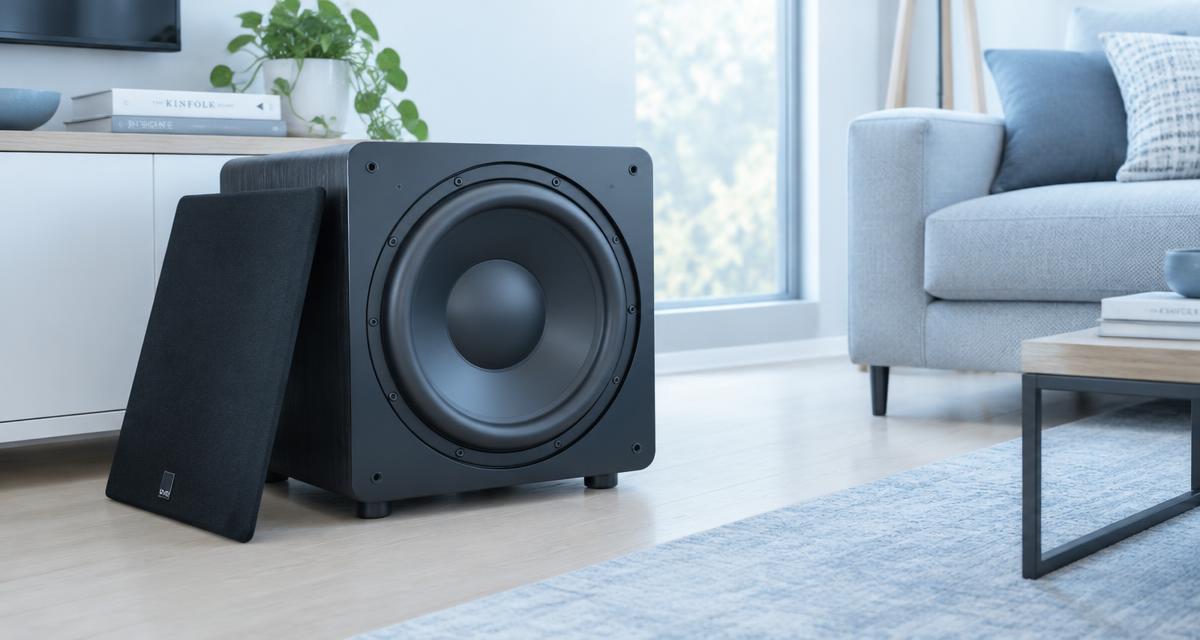
Check whether the subwoofer's status light changes to standby while the rest of the system continues playing. If it does, confirm that the receiver is actually sending bass and that the subwoofer is set to the correct input. For quiet listening, use the manufacturer's supported always-on mode or adjustable standby setting if available.
If signal sensing depends on input level, the manufacturer may recommend raising the receiver's subwoofer output modestly while lowering the subwoofer's own gain to preserve the listening balance. Follow model-specific guidance and avoid extreme trims. Do not add loud bass bursts, noise tracks, or improvised electrical modifications just to keep the subwoofer awake.
Confirm that standby is really the problem
A quiet scene may contain little or no bass even while the subwoofer remains active. Watch the status indicator and compare it with the manual's description of active, standby, and protection states. An indicator changing color can mean different things across models, so do not infer the state from color alone.
Play ordinary material with a gentle, recurring bass line at the same low volume you normally use. Note how long the subwoofer takes to wake and whether it drops out again during gaps. If the indicator remains active while bass disappears, investigate routing, crossover settings, room cancellation, or a fault instead of adjusting the standby timer.
Understand what the detector is listening for
Automatic standby generally relies on detecting a sufficient input signal for a specified period, but thresholds and logic vary by design. Quiet playback, long passages without bass, and low receiver output can keep the detected signal below the threshold. The subwoofer may therefore behave exactly as designed while still being inconvenient for your listening habits.
Read whether your model offers sensitivity, wake threshold, timeout, or power-mode controls. Some settings are available only in an app or rear-panel menu. Do not assume another model's timer applies. If the manual does not explain the behavior clearly, ask support whether low-level detection is adjustable and whether firmware changes are relevant.
Verify bass routing before changing gain
On an AV receiver, confirm that a subwoofer is enabled and that the selected listening mode sends appropriate bass to it. Some stereo or direct modes use different bass-management behavior. If the main speakers are configured to reproduce all bass, the subwoofer may receive little signal from music without a dedicated effects channel.
Choose speaker and crossover settings according to the equipment's capabilities rather than setting everything to Large by habit. Check whether the source is stereo, multichannel, or silent in the low-frequency effects channel. Do not enable duplicate-bass options blindly; they may change tonal balance without addressing the underlying routing. Establish a normal, documented signal path first.
Check the physical input and cable
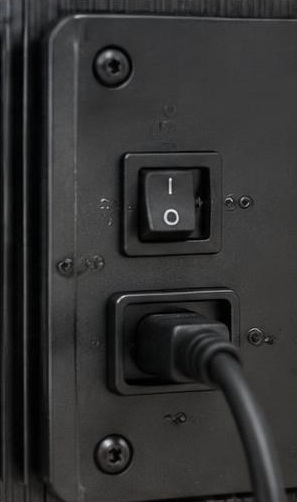
Use the input specified for your connection, often labeled LFE or leftmono for a receiver's single subwoofer output. Confirm the cable is fully seated at both ends and has no visible damage. Turn equipment off before reconnecting according to the manuals. A loose plug can cause intermittent detection or noise.
Try a known-good compatible cable if the symptom is inconsistent. Do not assume a Y-adapter is required because there are two input sockets. Feeding both inputs can alter sensitivity on some designs, but that is model-dependent and should be done only when the manufacturer recommends it. Avoid adding adapters that complicate a connection which should work directly.
Adjust gain structure without changing the bass balance
If support recommends it, increase the upstream subwoofer output modestly and lower the subwoofer's gain to keep the acoustic balance similar. This can provide a stronger signal to an input-sensing circuit while avoiding louder bass at the seat. Record both original settings before changing either one.
Stay within the receiver's and subwoofer's recommended ranges. A very high receiver trim can reduce headroom, while an excessively low subwoofer gain may complicate setup. The exact relationship is not universal, so use small steps and ordinary content. If you rely on automated room setup, consult its instructions because rerunning calibration may change the output trim and undo your adjustment.
Use supported power-management alternatives
An always-on setting may be the simplest solution when low-level detection is unsuitable. Check the manual for power consumption, ventilation, and any recommendation about extended operation. Keep the subwoofer clear of coverings and retain access to its controls. Always-on is a supported operating mode only when the manufacturer provides it.
Some systems offer a compatible trigger connection that wakes the subwoofer with the receiver. Use only the specified voltage, cable, and ports; similar-looking sockets can serve unrelated functions. Do not connect a trigger output to an audio input. A smart plug is not automatically an appropriate substitute because abrupt switching and startup behavior vary by product.
Account for quiet content and room effects
If the subwoofer wakes on films but not on gentle music, compare the actual bass content and listening mode before assuming a defect. A soundtrack with long bass-free intervals may legitimately allow auto standby. Conversely, a room cancellation can make an active subwoofer seem absent at one chair even though its detector is receiving signal.
Move to another listening position briefly while keeping playback quiet. If bass becomes obvious elsewhere and the status light remains active, placement is the issue rather than power management. Do not raise gain dramatically to fill a narrow cancellation. That can make other seats excessively bass-heavy and place unnecessary demands on the subwoofer without fixing the original location.
Escalate persistent wake or protection faults
Contact support if the subwoofer fails to wake on normal bass-containing material despite a verified input and supported settings. Provide the model, firmware version if applicable, connection type, receiver trim, gain position, standby timing, and indicator behavior. Explain whether always-on mode works consistently and whether another cable changed the result.
Stop using the unit if it repeatedly enters protection, clicks abnormally, smells hot, or loses power unpredictably. Do not open the amplifier plate or bypass a sensing circuit. Keep your troubleshooting notes so service can distinguish an inconvenient threshold from an electrical fault. A clear description is safer and more useful than trying to force the problem with louder test signals.
Sources
Standby thresholds, supported inputs, trigger requirements, and power modes are model-specific. Read the subwoofer manual alongside the receiver's bass-management instructions before changing gain structure.
Official manuals and support: svsound.com guidance ; denon.com guidance ; kef.com guidance