Quick answer
A useful headphone test answers a specific question: do both channels work, does one side sound quieter, does the cable crackle, or does the bass change when the fit changes? Trying to judge everything with one dramatic demonstration track makes faults harder to isolate. Start with ordinary speech and familiar music, then use brief test signals only when they help investigate a particular observation.
Neste artigo
- Define the question before choosing a test
- Inspect the headphones and establish a baseline
- Get the fit right before judging bass
- Confirm left, right, and centered playback
- Listen across the range without chasing extremes
- Separate distortion from recording and connection faults
- Test wireless features separately
- Compare products fairly and protect your hearing
- Turn observations into a useful decision
- Sources
Define the question before choosing a test
A useful headphone test answers a specific question: do both channels work, does one side sound quieter, does the cable crackle, or does the bass change when the fit changes? Trying to judge everything with one dramatic demonstration track makes faults harder to isolate. Start with ordinary speech and familiar music, then use brief test signals only when they help investigate a particular observation.
Home listening can identify obvious problems and compare preferences, but it does not provide laboratory frequency response, certified distortion figures, or a clinical hearing assessment. Professional headphone measurement uses controlled fixtures, ear simulators, suitable interfaces, and calibrated procedures. Listen's published measurement sequence illustrates why a headphone measurement requires more than playing a sweep in a browser. listeninc.com guidance
Inspect the headphones and establish a baseline
Check cushions, hinges, connectors, cable strain relief, and removable ear tips before listening. Look for torn pads, loose plugs, or debris covering an earbud mesh. Clean only as the manufacturer recommends; avoid pushing tools into the acoustic opening or applying liquid directly. Charge wireless headphones and confirm that both earbuds report a battery level if the application provides separate readings.
Choose a quiet environment and one reliable source. Temporarily disable equalization, spatial processing, loudness enhancement, and personalized profiles. Note whether active noise cancellation or transparency mode is enabled. These modes can alter the sound, so comparisons are meaningful only when their state is consistent. Lower the volume before inserting earbuds or putting on headphones.
Get the fit right before judging bass
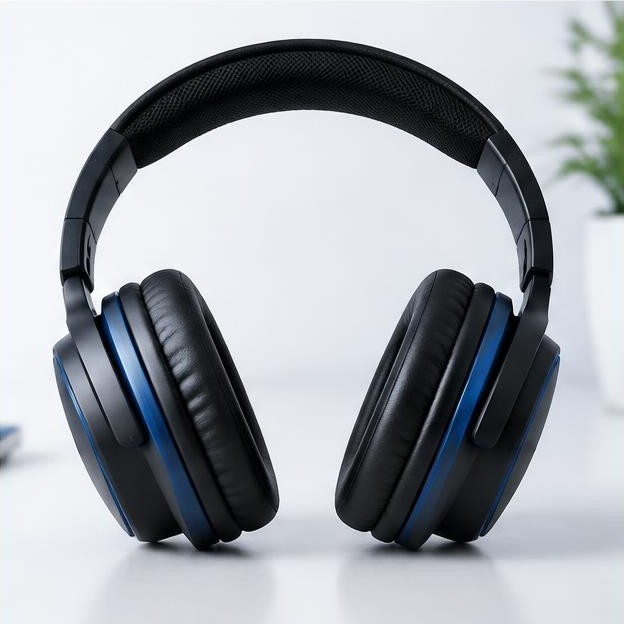
For over-ear headphones, center each cushion around the ear and adjust the headband so pressure feels reasonably even. Glasses, hair, damaged cushions, or a cap can interrupt the seal. For earbuds, try the supplied tip sizes independently for each ear; the best size need not be identical on both sides. Follow the maker's insertion directions without forcing the tips deeper.
Play a quiet bass-containing music passage and gently reseat the headphones. A large change in bass after reseating suggests that fit is affecting the result. It does not by itself prove a defective driver. Repeat the fit check before comparing two products, because a secure seal can influence the perceived bass more than a small difference between their published specifications.
Confirm left, right, and centered playback
Use a quiet spoken left-right identification track. Confirm that left plays in the marked left earcup and right in the right. If both sides play every announcement, check the operating system's mono audio setting and any interface mixer. Center the balance control. Try another application if the result is unexpected, since the file or player may itself have incorrect routing.
Next play a mono voice through both sides. It should generally sound centered, though small differences in fit and individual hearing can affect the impression. Reseat the headphones and repeat once. If a strong imbalance remains, compare another headphone on the same source and the original headphone on another source. This helps separate a headphone problem from a device setting.
Listen across the range without chasing extremes
Select two or three short recordings you know well: clear speech, music with distinct bass notes, and music containing natural percussion or acoustic instruments. Listen for intelligibility, consistent tonal balance, and whether one part of the mix masks another. Keep volume comfortable and unchanged. Louder playback often sounds more impressive, so uncontrolled level changes can overwhelm a genuine quality comparison.
If you use a sine sweep, make it brief and quiet. Do not increase volume to recover frequencies that become faint or disappear. Hearing sensitivity changes with frequency, and the headphone's response and fit contribute too. A perceived high-frequency limit is not a hearing diagnosis. A low-frequency note that seems absent is not permission to drive the headphone harder.
Separate distortion from recording and connection faults
A buzz that occurs at exactly the same moment in one recording may already exist in that recording. Replay the passage through another known-good headphone at a similar comfortable level. Then try another recording on the original headphone. Distortion that appears across multiple clean sources at modest playback levels is more suspicious than a noise found in only one song.
For wired headphones, gently reposition the cable near the plug and detachable connectors while quiet speech plays. Do not bend sharply or pull the cable. Intermittent crackling that follows ordinary cable movement suggests a connection issue. Test a compatible replacement cable if available. Stop playback before unplugging or reconnecting, particularly when an amplifier or adapter can produce switching pops.
Test wireless features separately
Keep wireless range testing distinct from sound-quality testing. First listen close to the source with a stable connection. Then check ordinary movement around your intended workspace. Dropouts behind walls or near crowded wireless equipment do not establish a defective driver. Note the source, application, distance, and whether another paired device was trying to take over playback.
Compare noise cancellation and transparency in a safe, stationary setting. Listen for an obvious difference between modes, unexpected pressure sensations, wind noise, or imbalance. Do not create loud noise to challenge cancellation, and do not assume cancellation makes high playback volume safe. Test microphone quality with a short recorded sentence separately; a good playback result says little about call microphone performance.
Compare products fairly and protect your hearing
Alternate short passages rather than conducting one long session with each headphone. Match perceived loudness conservatively using familiar midrange material, recognizing that this is only an informal match. Record comfort after several minutes, not just the first impression. Weight, clamping force, heat, and tip stability matter because headphones that sound appealing briefly may be uncomfortable for daily use.
Volume percentages are not standardized across devices, and uncalibrated browser playback cannot establish exposure level. NIDCD emphasizes that hearing risk depends on both loudness and duration. Stop for ringing, pain, or muffled hearing, and seek professional advice if symptoms persist. nidcd.nih.gov guidance Never continue a tone because you think endurance is part of the test.
Turn observations into a useful decision
Keep a short log covering fit, channel behavior, noise, source, and processing mode. Return or service a product for reproducible faults rather than an isolated uncertain impression. If balance concerns persist across unrelated headphones and sources, consult a qualified hearing professional instead of compensating indefinitely with more volume. Restore your preferred processing settings after the baseline test and judge whether they improve normal listening.
Sources
Listen, Inc., Basic Headphone Measurement Test Sequence: listeninc.com guidance
National Institute on Deafness and Other Communication Disorders, Noise-Induced Hearing Loss: nidcd.nih.gov guidance