У овом чланку
- Quick answer
- Check what actually happened at the pool
- Understand why drying alone may leave a problem
- Follow the approved fresh-water care procedure
- Dry acoustic areas and connectors separately
- Interpret temporary sound changes cautiously
- Recognize exposures that need manufacturer assessment
- Set up a safer poolside routine
- Sources
Quick answer
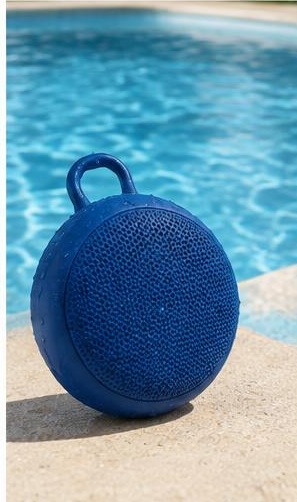
Move the speaker away from the pool, disconnect accessories when safe, switch it off, and wipe exterior droplets with a soft cloth. Check the exact model's instructions for chlorinated-water exposure. Some waterproof speakers require a fresh-water rinse after pool use, but that instruction is not universal. Keep the unit disconnected from charging until its connector is completely dry and its care requirements are satisfied.
JBL advises fresh-water rinsing after pool or ocean use for the models listed in its relevant support article because chemicals and salt can affect seals or finish over time. jbl.com guidance Do not generalize that procedure to an unidentified speaker, damaged enclosure, or exposed electrical opening. The practical priority after a pool splash is handling chemical residue correctly, not proving that the waterproof label works.
Check what actually happened at the pool
Distinguish light spray from a fall into the pool, a direct water jet, or exposure while charging. Note whether a port cover was closed, the enclosure had previous damage, and the speaker remained within its stated conditions. A splash near the grille with all covers secure is different from chlorinated water entering an open connector. Photograph visible damage without opening the casing.
Also consider what accompanied the water: sunscreen, drinks, and sand can change the cleaning problem. If the speaker was beside a hot tub, temperature may matter as well as moisture. Do not assume a swimming-pool instruction automatically covers hot tubs, heated water, cleaning chemicals, or concentrated pool-treatment products. Contact support promptly for exposures beyond the manual, particularly if the unit behaves abnormally or was connected to mains-powered equipment.
Understand why drying alone may leave a problem
A pool splash contains more than water. As it evaporates, dissolved substances may remain on fabric, cover edges, controls, or connector surfaces. That is why a manufacturer may specify a fresh-water cleaning step rather than simply waiting for the speaker to dry. A surface can look normal while still retaining residue, so visible dryness and completed cleaning are separate considerations.
Water resistance also has defined test conditions and can depend on intact seals and correctly closed covers. It should not be interpreted as resistance to every chemical or indefinite repeated exposure. The appropriate response is the model's maintenance procedure, not extra immersion to wash away the original splash. If you cannot identify the product or verify its care instructions, conservative wiping and manufacturer advice are preferable to an improvised rinse.
Follow the approved fresh-water care procedure
If your exact model authorizes rinsing after pool use, follow the stated method, cover position, water temperature, and pressure limits. Keep chargers and cables away from the cleaning area. Do not use a pressure nozzle, scrub the fabric, or deliberately flush an open USB port unless the manufacturer specifically instructs that action. An exterior cleaning procedure does not automatically apply to every recess.
For example, JBL's Flip 5 and Flip 6 cleaning guidance specifies lukewarm tap water and a microfiber cloth, prohibits alcohol and other stain-removal products, and warns against charging with a wet port. jbl.com guidance Use that guidance only for applicable products. If rinsing is not approved, follow the product's alternative method or ask support how to remove pool residue without compromising its materials.
Dry acoustic areas and connectors separately
Blot exterior water with a clean, soft cloth and place the speaker in its documented drying orientation in a ventilated room. Replace a saturated cloth rather than leaving the unit resting in moisture. Do not use a hair dryer, radiator, oven, or direct sunlight to accelerate the process. Avoid sealing the speaker inside its carry case while it is still damp.
Inspect the charging area without inserting anything. A dry grille does not establish a dry connector, and an uncovered port may retain moisture longer than the surrounding casing. Do not reconnect power until the connector is completely dry and any contamination has been addressed. If your speaker gives a moisture or chemical warning, follow that model's protection instructions rather than repeatedly trying different cables or adapters to bypass the interruption.
Interpret temporary sound changes cautiously
Water retained around acoustic fabric or a radiator can change sound temporarily, but muffling does not prove the issue is harmless surface moisture. Follow the drying procedure before comparing playback. Do not run loud bass to force pool water out, and do not hold a moving radiator or shake the speaker vigorously. Sound cannot remove chlorine residue or certify that internal electronics stayed dry.
Once the manufacturer permits use, play a short familiar recording at a moderate level. Check whether speech clarity and balance return with the speaker in its normal orientation on a stable surface. Keep equalizer settings unchanged. If there is a new rasp, one-sided weakness, repeated shutdown, or unstable connection, stop testing and document the symptoms. Repeated playback sessions add little information when the speaker is still showing abnormal behavior.
Recognize exposures that need manufacturer assessment
Seek support if the speaker was submerged beyond its limits, splashed with an open required cover, exposed to concentrated chemicals, or connected to charging power during the incident. Persistent moisture warnings, corrosion, sticky controls, and a cover that no longer closes correctly also justify assessment. Do not open the enclosure to inspect seals or dry the battery compartment yourself.
Stop using the unit for swelling, unusual heat, burning odor, smoke, or other signs of electrical or battery trouble. A speaker that still plays music can nevertheless have a damaged connector or compromised seal. Tell support the model, exposure duration, cover position, pool type if relevant, and care already performed. This is more actionable than simply saying the product was waterproof and should therefore have survived any poolside event.
Set up a safer poolside routine
Charge indoors in a dry place before pool use, and keep the charger away from the splash zone. Position the speaker on a stable raised surface where it cannot roll into the water. Close required covers according to the manual and inspect them for grit or damage. Avoid placing the unit on sunscreen-covered towels or directly beside pool-treatment supplies.
After use, perform the approved pool-care procedure before packing the speaker away, then allow complete drying. Store it separately from wet swimwear and inspect the connector before the next charge. These steps address repeated low-level exposure, which is easy to overlook when there was no dramatic immersion. Waterproofing is a useful protection feature, but appropriate cleaning, dry charging, and sensible placement remain part of normal ownership.
Sources
JBL, pool and saltwater care for listed waterproof models: jbl.com guidance
JBL, Flip 5 and Flip 6 cleaning and charging precautions: jbl.com guidance