Quick answer
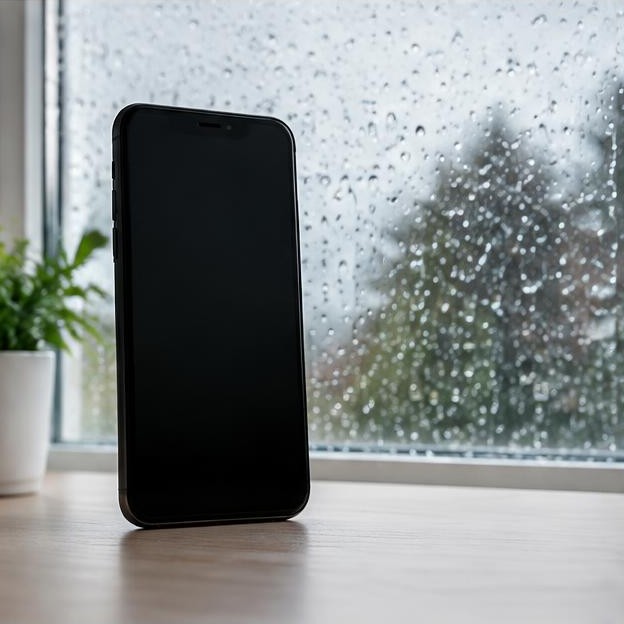
When a phone speaker becomes muffled after rain, the first task is to stop the exposure, not to play a cleaning sound. Move to shelter with dry hands if possible. Disconnect accessories when safe, remove the wet case and wipe the exterior with a soft, lint-free cloth. Pay attention to water trapped between the case and phone, because that moisture can remain against openings after the rain has stopped.
Trong bài viết này
- Get out of the rain before testing anything
- Understand what rain can and cannot explain
- Let the exterior dry with gentle airflow
- Treat the charging port as a separate safety issue
- Retest only after the exposure has been addressed
- Watch for symptoms beyond the speaker
- Prevent a repeat without relying on the rating
- Sources
Get out of the rain before testing anything
When a phone speaker becomes muffled after rain, the first task is to stop the exposure, not to play a cleaning sound. Move to shelter with dry hands if possible. Disconnect accessories when safe, remove the wet case and wipe the exterior with a soft, lint-free cloth. Pay attention to water trapped between the case and phone, because that moisture can remain against openings after the rain has stopped.
Decide whether this was a few surface droplets or a more serious event. A soaked pocket, standing water inside a bag, visible water under the display or a phone that fell into a puddle should not be treated as a simple damp grille. Power off a substantially soaked device and follow its manufacturer's exposure guidance. Do not run audio tests or connect a charger to a device that may have liquid inside. If there is abnormal heat, swelling or an unusual odor, stop handling it unnecessarily and seek safety advice.
Understand what rain can and cannot explain
A film of water across an acoustic opening can change how sound passes through it, making speech dull or music quieter. That is a plausible explanation after light rain, but it is not a diagnosis of where all the water went. A phone may have temporary surface moisture and an unrelated internal or charging problem at the same time. Improvement in sound does not certify that the electronics are dry.
Water resistance also has limits. Laboratory ratings apply to defined conditions, not every real-world downpour, damaged seal or previously repaired phone. Apple states that splash, water and dust resistance are not permanent conditions and can decrease with normal wear. Rain mixed with road grime or water collected in a dirty bag may also leave contamination. Avoid assuming that a particular IP rating makes testing, charging or further exposure harmless. The exact model's instructions should guide the response. apple.com guidance
Let the exterior dry with gentle airflow
After wiping, place the phone in a dry, ventilated room away from direct sunlight and heat sources. Orient it so accessible water can drain without balancing it precariously on an edge. Apple advises placing a wet iPhone with its speaker side down on a lint-free cloth to see whether water drips out. Do not shake the device violently or strike it against a table. apple.com guidance
A room with gentle moving air is preferable to a steamy bathroom, sealed damp bag or hot dashboard. Do not use a hair dryer, oven, radiator or compressed air to accelerate the process. Keep tissue, cotton swabs and other objects out of ports. Rice is not an appropriate drying treatment and can introduce particles. The goal is controlled drying, not forcing water through internal spaces. Different humidity levels, opening designs and exposure amounts mean there is no reliable universal drying time for every phone.
Treat the charging port as a separate safety issue
A clear speaker does not mean the charging connector is dry, and a muffled speaker does not prove the connector is wet. Follow any moisture warning independently. Disconnect the cable if an alert appears and inspect the cable ends externally for water. Do not keep reinserting the connector to see whether the warning has disappeared. Repeated attempts can wet another accessory and do not dry the phone.
Apple's liquid-alert guidance allows an initial retry after at least thirty minutes of drying, but explains that complete drying can take up to twenty-four hours if the alert returns. Its broader wet-iPhone guidance also gives charging precautions, including waiting at least five hours before wired charging after liquid exposure. These are context-specific instructions, not permission to charge every rain-soaked device after the shortest interval. Use the guidance that applies to the exposure and device, and do not connect power until everything is dry. apple.com guidance apple.com guidance
Retest only after the exposure has been addressed
For a lightly rain-dampened phone that has dried and shows no other concerning symptoms, play a short spoken recording at a comfortable volume. Confirm that Bluetooth has not routed sound elsewhere and compare with the case removed. Use the same recording again later if needed. Gradual improvement during drying is useful information, but repeated playback is not necessary to make evaporation happen.
A sound-based water-eject tool may move some accessible surface droplets on some devices, but it cannot dry internal circuitry, remove contaminated residue or prove that charging is safe. There is no universal phone-speaker resonance that makes one frequency a guaranteed treatment. Do not use tones on a submerged or substantially soaked phone, and do not keep increasing the volume because the result is disappointing. If a brief ordinary playback check produces harsh distortion or new mechanical noise, stop and allow further assessment rather than running longer tests.
Watch for symptoms beyond the speaker
Check for repeated restarts, an unresponsive display, camera fogging, persistent charging warnings, unusual battery drain or sound that disappears intermittently. These observations make the situation more than a superficial audio inconvenience. Shut down the phone if internal moisture is suspected and contact the manufacturer or a qualified repair provider. Avoid opening a SIM tray while the exterior is wet, because that can create another entry path.
If the phone is dry, stable and working normally, make sure important data is backed up without reconnecting a wet accessory. Do not keep operating an unstable device solely to complete a backup. Record when the rain exposure happened, whether the phone was in a wet case or pocket and how the symptoms changed. That history helps a technician distinguish a temporary acoustic effect from a potentially wider liquid problem. Rain exposure should be disclosed even if the device later appears to recover.
Prevent a repeat without relying on the rating
Use a suitable weather-protective pouch when conditions are persistently wet, and keep charging equipment sheltered. A normal protective case may trap water rather than provide a certified waterproof barrier. Dry both the phone and case before reassembly. Avoid placing the phone in the same compartment as a soaked umbrella or clothing, where moisture can remain concentrated long after you get indoors.
If muffling persists after appropriate drying, arrange service rather than escalating to cleaning liquids or repeated tone sessions. Persistent residue, damaged mesh or an internal fault may need inspection. Ask what the proposed work includes and whether prior repairs or damage could affect water resistance. Recovery from one rain event does not establish that future exposure is safe. The useful endpoint is a dry, stable device with normal audio and charging behavior, not simply a louder speaker for a few seconds.
Sources
Apple manufacturer guidance: apple.com guidance ; apple.com guidance ; apple.com guidance