Quick answer
Muffled AirPods can have several different causes: wax across a speaker mesh, an ear tip that does not seal properly, moisture, an unusual audio setting or a problem with the recording itself. A dull sound is not enough to identify which one applies. Before cleaning, note whether the change affects music, spoken audio, telephone calls or everything. Also note whether it started suddenly after exercise or developed gradually over several weeks.
في هذا المقال
- Start by identifying what sounds wrong
- Compare the two sides without confusing fit with failure
- Rule out settings and connection changes
- Inspect before choosing a cleaning method
- Treat removable tips and charging cases separately
- If the muffling followed sweat or water
- Retest once and know when to stop
- Sources
Start by identifying what sounds wrong
Muffled AirPods can have several different causes: wax across a speaker mesh, an ear tip that does not seal properly, moisture, an unusual audio setting or a problem with the recording itself. A dull sound is not enough to identify which one applies. Before cleaning, note whether the change affects music, spoken audio, telephone calls or everything. Also note whether it started suddenly after exercise or developed gradually over several weeks.
Choose a familiar spoken recording and a familiar song. Listen briefly at a comfortable level in a quiet room, using the same source for each comparison. Do not compensate by continually raising the volume. If only one recording sounds poor, try another app before treating the earbuds as defective. If everything sounds dull, continue through the checks below. Stop using an earbud that becomes unusually hot, looks damaged or causes pain.
Compare the two sides without confusing fit with failure
Check the battery status of both earbuds and confirm that both are connected. Compare the left and right sides using ordinary speech, not a loud test tone. Differences in ear shape and fit can make one side seem quieter even when the hardware works normally. Remove and reinsert each earbud gently. Do not push an earbud farther into the ear to force a louder result.
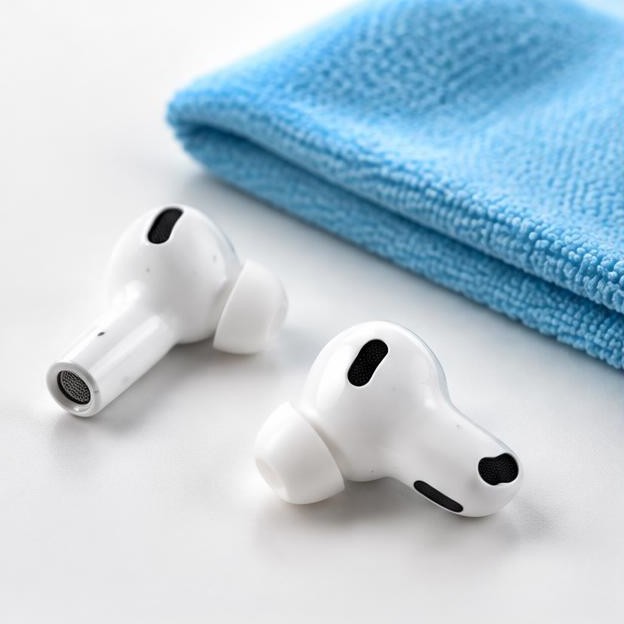
For AirPods Pro, inspect the removable tips for tears, blocked openings and incomplete attachment. A loose or unsuitable tip can change bass response enough to resemble a speaker problem. Try the supported fit test if your model offers one, and use an appropriate tip size for each ear. Left and right sizes do not have to match. If the apparent imbalance also occurs with other headphones, or you notice a sudden change in hearing, stop troubleshooting the device and seek appropriate medical advice.
Rule out settings and connection changes
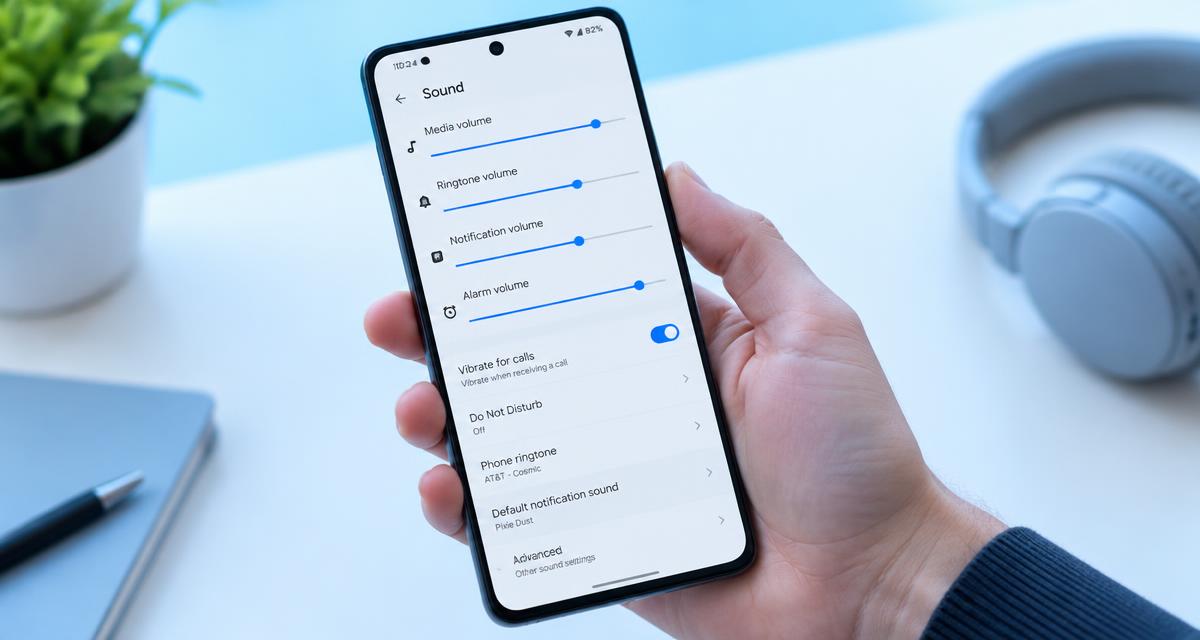
Confirm that the AirPods, rather than the phone speaker or another Bluetooth accessory, are the selected output. Check the left-right audio balance in the device's accessibility settings. Temporarily compare playback without an equalizer, custom headphone adjustments or spatial effects, noting the original settings so you can restore them. A change after disabling one feature points toward configuration rather than dirt.
If the problem occurs only during calls or computer meetings, compare it with local music playback. Communications software can use a different audio mode when the earbud microphone is active, so a change in call quality does not automatically mean that the speaker mesh is blocked. Close competing calling apps, reconnect the earbuds and test another source device if available. Restart the source device if needed. Save resetting the AirPods for persistent connection problems, and follow Apple's instructions for the exact model rather than an unrelated button sequence.
Inspect before choosing a cleaning method
Remove the earbuds from your ears and inspect them under good lighting. Look at the visible speaker mesh, microphone meshes, tip openings and outer surfaces without inserting anything. A visible layer of wax supports a cleaning diagnosis, but a clean-looking exterior does not prove that internal parts are healthy. Identify the model in Bluetooth settings or through Apple's identification guidance before selecting a procedure.
Apple publishes separate cleaning instructions for AirPods and AirPods Pro, including model-specific illustrations of the meshes that may be cleaned. Some supported procedures specify particular materials and drying steps; they should not be generalized to every generation or every opening. Start with a soft, dry, lint-free cloth on the exterior. Do not improvise with household solvents, peroxide, adhesive putty, needles or compressed air. Never pour cleaning liquid into an opening or apply an earbud cleaning method to the charging port. apple.com guidance apple.com guidance
Treat removable tips and charging cases separately
On AirPods Pro, remove an ear tip by gripping its base, not by pulling the thin outer rim. Follow Apple's tip-cleaning instructions separately from the instructions for the electronic earbud. Apple permits rinsing detached ear tips with water and advises against soap or other household cleaners. Dry them completely before reattaching them, and check that each tip clicks securely into place. Do not rinse the assembled earbud as though it were an empty silicone tip. apple.com guidance
Keep loose debris and cleaning materials away from the charging case while working. Wipe the case exterior with a suitable lint-free cloth, and follow Apple's case instructions for any additional cleaning. Do not push a brush or damp swab down into the charging wells. Wet earbuds should not be returned to the case for charging. Cleaning the speaker mesh and cleaning electrical contacts are different tasks, with different risks.
If the muffling followed sweat or water
Remove the earbuds, wipe their exterior and let them dry in a ventilated place away from heaters and direct sunlight. Keep them out of the charging case until fully dry. A water-resistance claim does not mean every AirPod and every case tolerates the same exposure, and resistance can diminish with wear. If the case was also soaked, do not connect it to power simply to check whether it still works.
Do not wear the earbuds while experimenting with cleaning tones. A browser-generated tone is not a validated way to dry their internal electronics, and no single frequency can be assumed to work for every model. Repeated playback can obscure whether passive drying is helping and can expose you to unnecessarily loud sound. After any manufacturer-approved cleaning, follow the specified drying period before listening or charging; Apple's supported mesh-cleaning procedures require complete drying and specify at least two hours. apple.com guidance
Retest once and know when to stop
After the earbuds are completely dry, repeat the same short recordings at the original comfortable level. Check whether speech clarity, bass balance and left-right consistency changed. If a fit adjustment solved the problem, leave the mesh alone. If cleaning made no difference, do not escalate to stronger chemicals or greater brushing pressure. Persistent dullness can involve a driver, microphone, vent or other component that cannot be diagnosed by appearance.
Contact Apple or a qualified service provider when one side remains substantially quieter, distortion persists across several devices, or a liquid exposure was followed by charging trouble. Provide the model, affected side, onset, exposure history and steps already attempted. Ask about the diagnosis, replacement options and applicable coverage rather than assuming a particular part has failed. Seek help sooner for heat, swelling, unusual odors or visible damage. Good troubleshooting should narrow the problem, not turn an uncertain symptom into a more damaging experiment.
Sources
Apple manufacturer guidance: apple.com guidance ; apple.com guidance ; apple.com guidance