Quick answer
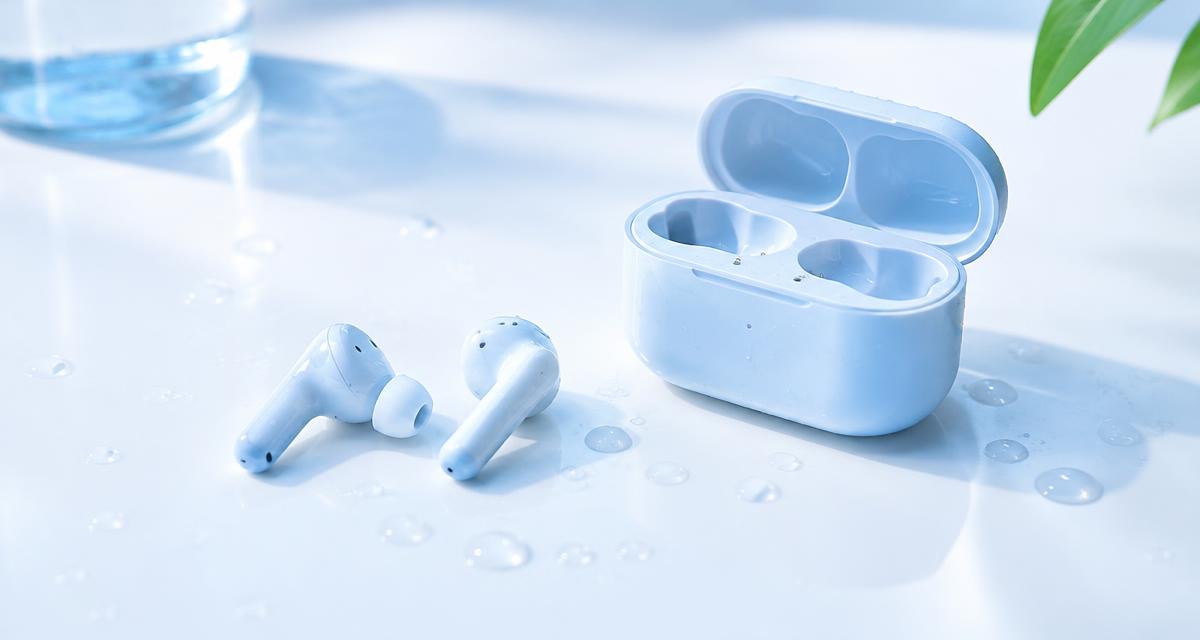
Remove the earbuds from your ears and disconnect playback. Do not put wet earbuds into the charging case. Small electrical contacts can trap moisture, and charging is not a drying method. If the case also got wet, unplug it and leave it separate. Water resistance differs between earbuds and cases, and resistance can decline with wear. Check the exact model’s instructions rather than assuming that a workout rating permits swimming.
Bu məqalədə
- Take wet earbuds out of use
- Dry the surfaces without forcing water inside
- Give air time to work
- Understand what a water eject tone can do
- Use short tests rather than repeated loud sessions
- Compare left and right after drying
- Clean residue only as the manufacturer allows
- Protect the charging case and decide on service
- Quick answers
Take wet earbuds out of use
Remove the earbuds from your ears and disconnect playback. Do not put wet earbuds into the charging case. Small electrical contacts can trap moisture, and charging is not a drying method. If the case also got wet, unplug it and leave it separate. Water resistance differs between earbuds and cases, and resistance can decline with wear. Check the exact model’s instructions rather than assuming that a workout rating permits swimming.
Make one change at a time and compare the same short recording afterward. Keep the source, volume and listening position consistent. Otherwise a different track or a louder setting can sound like a successful repair when nothing has changed. A simple note of the symptom, the action taken and the result makes the process easier to follow and gives a technician useful information if you later need help.
Dry the surfaces without forcing water inside
Wipe each earbud with a soft lint free cloth. Remove silicone tips only if they are designed to detach, and dry them separately according to the maker’s guidance. Hold the sound opening downward without shaking violently. Do not push tissue, pins or cotton swabs into acoustic vents. Moisture can hide around tip stems and charging contacts, so inspect those areas in good light without prying at the housing.
Check the manufacturer’s instructions for the exact model before applying advice written for another device. Speaker openings, protective meshes and water resistance arrangements vary. An opening that looks like a second speaker may actually serve a microphone or vent. Do not poke it to investigate. If a procedure requires force, unfamiliar chemicals or disassembly that you cannot confidently reverse, pause and choose a safer inspection or professional service instead.
Give air time to work
Leave the earbuds in a dry, ventilated room on a clean cloth. Position them so openings are unobstructed and droplets can drain. Gentle room airflow is preferable to a heater, oven or direct sunlight. Do not use rice, and do not blow compressed air into the mesh. Drying time depends on exposure and construction. Follow the manufacturer’s minimum waiting period, and wait longer if there is any doubt.
Use comfortable listening levels throughout the checks. Keep test tones away from your ears and avoid long sessions simply because improvement is slow. More volume is not a stronger cleaning treatment. Stop if the device develops unusual heat, severe distortion or a new mechanical noise. A short test should answer a specific question; once it has answered that question, silence the tone and decide what to do next.
Understand what a water eject tone can do
A tone may move small droplets near a speaker opening, but there is no guarantee for a particular earbud design. It cannot remove water from batteries or repair internal corrosion. If the maker advises against operation while wet, follow that advice. Once operation is appropriate, Water Eject can provide a brief low frequency signal. Keep the earbuds out of your ears throughout and start with low output, not maximum volume.
A browser tool depends on the playback path selected by your device. Before interpreting a result, confirm that Bluetooth headphones, a dock or another output have not taken over. Start playback with the on screen control, then check the appropriate volume setting. If the browser remains silent, try familiar audio elsewhere. A silent web page by itself does not establish that a physical speaker has failed.
Use short tests rather than repeated loud sessions
Confirm that playback is routed to the intended earbuds, not the phone. Hold the mesh downward and run a short trial, then pause and wipe away visible moisture. Continuous, Pulse and Sweep are options in Water Eject, not escalating repair strengths. If a brief attempt makes no difference, allow more drying time rather than increasing volume indefinitely. Stop immediately for harsh rattling, unusual warmth, swelling or an unexpected smell.
Do not treat a change in sound as proof that all damage is gone. A device can play normally while an unrelated electrical or charging problem remains. Watch for warnings and follow the relevant safety instructions before reconnecting power. Likewise, a faint low note may simply be outside a small speaker’s useful range. Judge recovery using ordinary speech and familiar music as well as controlled tones.
Compare left and right after drying
When the earbuds are ready for normal use, Speaker Test can isolate Left and Right channels. Start quietly and confirm both earbuds are connected. Check accessibility balance on the source device. A quiet side can reflect wax, a loose tip, poor fit or a connection problem as well as moisture. Test familiar speech too. Noise cancellation and transparency settings can affect what you hear, so compare with those features temporarily disabled.
If you need service, describe the event and the remaining symptoms accurately. Explain whether there was liquid, impact, an update or gradual deterioration, and list the checks already attempted. Ask what the proposed repair includes and whether any seals or protective parts need replacement. A clear diagnosis and written estimate are more useful than ordering a part because someone else reported a similar sounding problem online.
Clean residue only as the manufacturer allows
Sweat, seawater and drinks can leave material behind after evaporation. Sound does not dissolve salt, sugar or earwax. Use the manufacturer’s cleaning procedure for that model, especially where it specifies removable tips or a particular cleaning method. Do not improvise by soaking the earbuds. Dust Cleaner is not an earwax removal treatment. If residue is inside a vent or the sound opening remains blocked, professional service is safer than digging.
Allow time between attempts to inspect the result rather than repeating the same action automatically. Look for visible debris or moisture only from outside the opening, using ordinary good lighting. Do not insert a tool just to get a better view. If the condition is unchanged after cautious checks, that is useful evidence that the next step should be a different diagnostic approach, not greater pressure or louder playback.
Protect the charging case and decide on service
Inspect the case wells and contacts before returning the earbuds. A dry exterior does not establish that the inside is safe to charge. Follow manufacturer advice if the case was submerged, especially with its power connected. Persistent imbalance, unreliable charging or microphone problems after drying deserve support. Keep purchase details and describe the liquid involved. Coverage depends on the product and terms, so do not assume liquid exposure qualifies for warranty repair.
Quick answers
Should I wear earbuds during Water Eject? No, keep them out of your ears. Can I charge them to warm them up? No. Does a water resistance rating cover the case? Not necessarily. Can sound remove salt residue? No. Is a quiet side always damaged? No, blockage, balance and connection settings can cause it too. What if an earbud feels hot? Stop using and charging it and seek safety guidance.