Quick answer
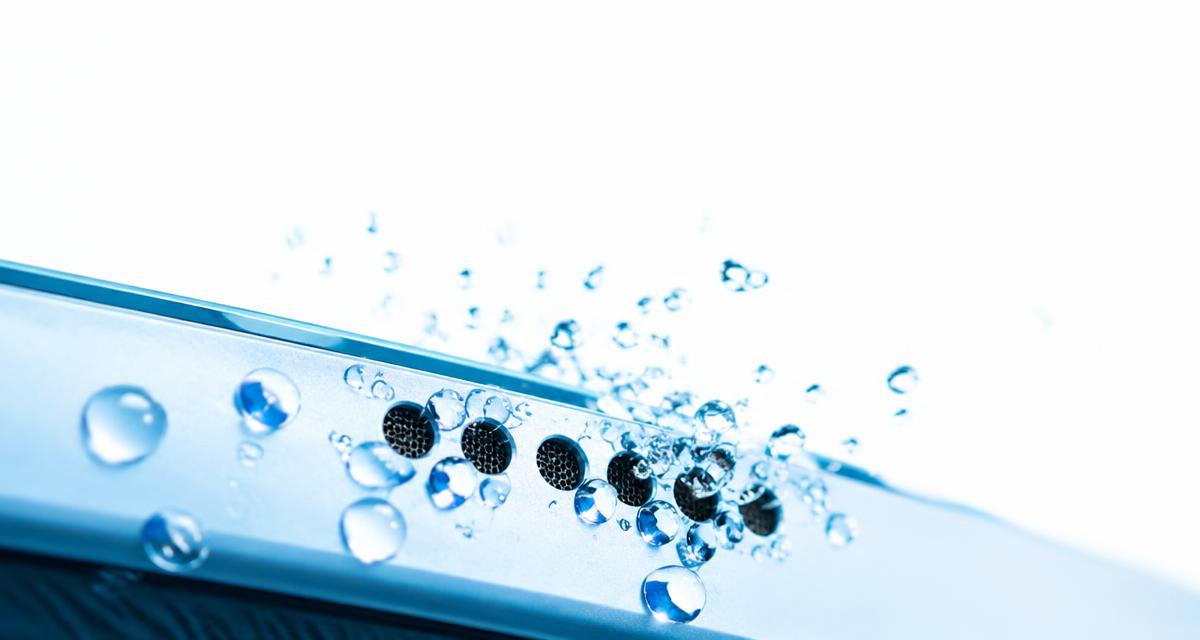
Phone speakers are tiny. The opening is covered by a fine mesh, and behind it sits a thin diaphragm that has to move air to make sound. When a droplet sits in the mesh, surface tension holds it in place like a film across a bubble wand. The diaphragm can no longer move freely, so the sound turns quiet, flat or crackly.
Tässä artikkelissa
Why water makes a phone speaker sound muffled
Phone speakers are tiny. The opening is covered by a fine mesh, and behind it sits a thin diaphragm that has to move air to make sound. When a droplet sits in the mesh, surface tension holds it in place like a film across a bubble wand. The diaphragm can no longer move freely, so the sound turns quiet, flat or crackly.
Surface droplets near an opening are only one possibility after liquid exposure. You cannot determine the location or extent of moisture from muffled sound alone. Follow model-specific drying instructions, and never shake or disassemble a device simply to make the speaker sound clearer.
Make one change at a time and compare the same short recording afterward. Keep the source, volume and listening position consistent. Otherwise a different track or a louder setting can sound like a successful repair when nothing has changed. A simple note of the symptom, the action taken and the result makes the process easier to follow and gives a technician useful information if you later need help.
Signs there is water in the speaker
Check the manufacturer’s instructions for the exact model before applying advice written for another device. Speaker openings, protective meshes and water resistance arrangements vary. An opening that looks like a second speaker may actually serve a microphone or vent. Do not poke it to investigate. If a procedure requires force, unfamiliar chemicals or disassembly that you cannot confidently reverse, pause and choose a safer inspection or professional service instead.
Audio sounds muffled, quiet or 'underwater'.
Crackling or buzzing at higher volumes.
Your phone shows a liquid detected warning near the charging port.
Sound improves slightly when you shake the phone.
Calls sound fine in earbuds but poor through the speaker.
Step 1: Get the outside dry
Remove the case, wipe the phone with a lint-free cloth and dry the ports. If the phone was submerged, power it off and follow the manufacturer’s liquid exposure guidance before trying audio. Hold it speaker-side down so gravity starts pulling water out.
Keep the phone securely supported with its speaker opening unobstructed. Follow the manufacturer’s drying instructions; do not strike the phone against your palm or shake it forcefully.
Use comfortable listening levels throughout the checks. Keep test tones away from your ears and avoid long sessions simply because improvement is slow. More volume is not a stronger cleaning treatment. Stop if the device develops unusual heat, severe distortion or a new mechanical noise. A short test should answer a specific question; once it has answered that question, silence the tone and decide what to do next.
Step 2: Play a water eject sound
If the phone is otherwise working normally and only light moisture appears to affect the grille, try Water Eject. Start at moderate volume with the speaker facing down. Its 165 Hz tone may help move surface droplets, but it cannot dry internal electronics or guarantee recovery.
Use a brief, quiet attempt and stop sooner for discomfort, rattling or unusual heat. Compare familiar speech afterward. Pulse mode alternates sound and pauses; it does not guarantee that moisture will move or leave the device.
Sweep mode changes frequency, but the result depends on speaker design and moisture location. No mode guarantees a useful resonance or internal drying. A timer provides a stopping point, not a reason to continue through a warning sign.
A browser tool depends on the playback path selected by your device. Before interpreting a result, confirm that Bluetooth headphones, a dock or another output have not taken over. Start playback with the on screen control, then check the appropriate volume setting. If the browser remains silent, try familiar audio elsewhere. A silent web page by itself does not establish that a physical speaker has failed.
Step 3: Let airflow finish the job
Follow the manufacturer’s drying instructions in a dry, ventilated location. There is no universal one-to-three-hour drying period. Avoid sealed containers or improvised treatments unless recommended for the exact device; clearer audio is not evidence that internal moisture has gone.
Keep the phone out of direct sun and away from radiators. Gentle, steady airflow is better than heat, because heat can damage adhesives and the battery.
What not to do
Don't use a hair dryer on hot settings. Heat can warp seals and the speaker diaphragm.
Don't push cotton swabs, pins or tissue into the grille.
Don't put the phone in rice. It barely absorbs water from inside a phone and leaves starch dust in the ports.
Don't charge while the port is wet, even if your phone lets you.
Don't use compressed air at close range. It can push water deeper or tear the mesh.
Saltwater, pool water and drinks
Chlorine, salt and sugar leave residue after the water dries. Do not add water unless the manufacturer explicitly recommends that procedure for your exact model and exposure. Seek professional advice for contaminated liquid. Residue left behind can corrode contacts over weeks.
Sugary drinks are the worst case, because the residue is sticky and can gum up the mesh. A sound cannot dissolve sticky residue. Ask a repair professional about safe cleaning rather than repeatedly playing tones.
Check that it worked
Once the phone feels dry, open the Speaker Test and play the tone on Both channels. Sound should be clear and loud with no rattle. Compare it with how the phone sounded before it got wet. If you are not sure, play a song you know well and listen for missing bass or a dull top end.
If you want to be thorough, use the Tone Generator to play a slow sweep from low to high pitches. A speaker that still has water in it often drops out or buzzes in a narrow band of frequencies.
When to get help
If muffled sound persists after manufacturer-guided drying, seek qualified assessment rather than repeating eject rounds or increasing volume. Screen flickering, restarts, liquid warnings or unusual heat need attention without waiting for an arbitrary period. Internal liquid damage can progress even if playback improves.
Be honest with the shop about what the phone was exposed to. Saltwater in particular needs a proper internal clean, and telling them early saves diagnosis time.
Quick answers
How long should I run the tone? Keep it brief, stop for warning signs and reassess; the 30-second default is not a drying guarantee.
Should I use maximum volume? Start lower and stop if there is harsh distortion.
Why do I hear nothing on my iPhone? Check the silent switch. Some iPhones mute web audio in silent mode.
Does it work on Android too? Yes, in any modern browser.
Can I use it right after a swim? Follow the manufacturer’s liquid-exposure instructions before operating the device; drying the outside alone does not establish safety.