આ લેખમાં
- Quick answer
- Describe the noise before troubleshooting
- Clear the area around the tower
- Check the grille without touching drivers
- Inspect feet, plinths, and floor contact
- Compare the two speakers methodically
- Look at external terminals and links
- Recognize signs that require stopping
- Prepare a useful service report
- Sources
Quick answer
Lower the volume and replay a short passage that reliably produces the buzz. Remove nearby ornaments, check the grille and external feet, and listen for whether the noise comes from the speaker, its base, or surrounding furniture. A buzz occurring only on particular notes often points to a mechanical resonance rather than a continuous electrical hum.
If the noise appears to come from a driver, persists after external checks, or becomes scraping or crackling, stop playback and contact the manufacturer. Do not press a cone, tighten driver screws, or open the cabinet. Floorstanding speakers are heavy, so use assistance before moving or tilting them and follow the manual's handling instructions.
Describe the noise before troubleshooting
A constant low drone that remains during pauses suggests a different path from a papery buzz that follows bass notes. A brief rattle can also come from a grille badge, cable touching the cabinet, loose furniture hardware, or a floorboard. Write down when the noise occurs and whether it changes with playback volume.
Use ordinary music at a quiet, comfortable level rather than sustained tones or repeated bass sweeps. If the symptom does not occur safely at that level, do not increase volume just to provoke it. Note the track and timestamp instead. That information helps support staff distinguish a content-specific resonance from a general fault without requiring an aggressive demonstration.
Clear the area around the tower
Move lightweight objects away from the speaker and nearby shelves. Check picture frames, cabinet doors, plant pots, radiator covers, and decorative objects. A tower can excite an object several feet away, and room reflections can make that object seem as though it is inside the speaker. Temporarily relocating suspect items is more reliable than guessing by ear.
Inspect cables for contact with the cabinet, port, stand, or skirting board. A stiff cable can tap against a surface as the system plays. Leave safe slack without creating a trip hazard. Do not wedge objects into gaps around the speaker or use adhesive on finished surfaces unless the manufacturer explicitly allows it.
Check the grille without touching drivers
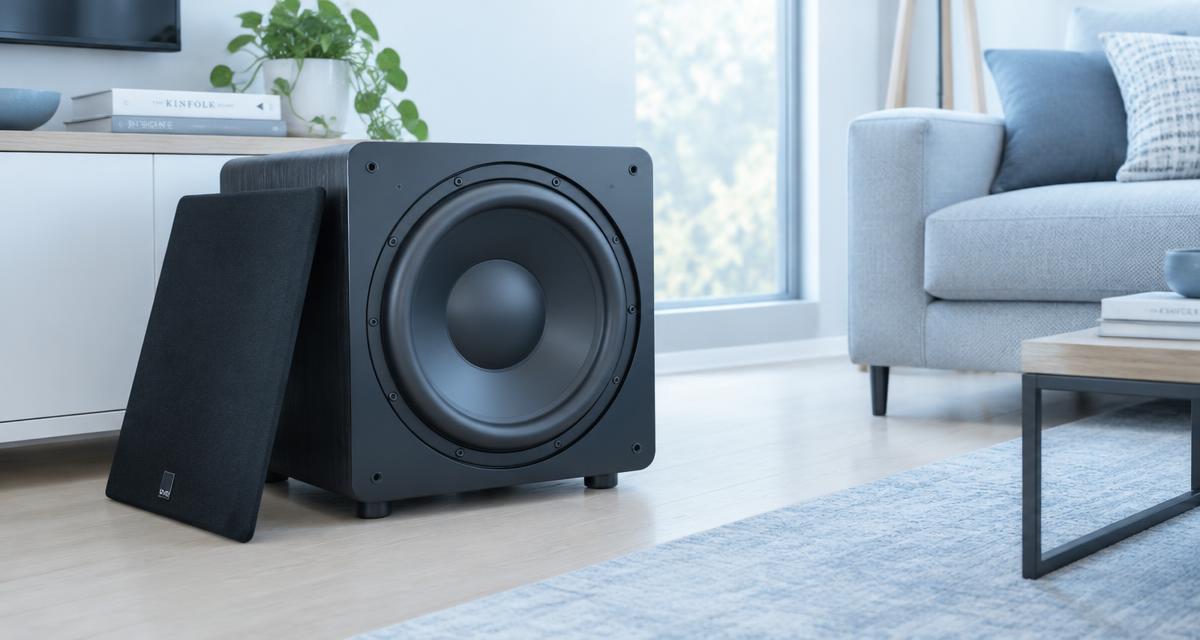
If the grille is designed to be removable, switch the system off and remove it according to the manual. Place it safely away from the speaker, then replay the passage quietly. If the buzz disappears, inspect the grille frame, mounting pegs, magnets, or decorative badge for visible damage. Do not touch the exposed drivers.
A damaged grille may need replacement rather than improvised padding. Do not glue parts while the grille is attached, and do not put tape where it could contact a moving cone. Some grilles are not user-removable. If removal requires force, hidden fasteners, or uncertain handling, leave it installed and ask the manufacturer for the correct procedure.
Inspect feet, plinths, and floor contact
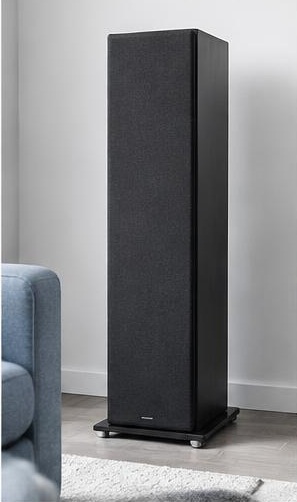
With playback stopped, check whether the cabinet rocks gently under normal contact. Confirm that the supplied feet, outriggers, or plinth were assembled as instructed. Missing protective cups, uneven foot adjustment, or contact between a base and an uneven floor can create audible vibration. Do not attempt adjustments while the tower is unstable.
Use the support system recommended for your floor type. Spikes are not a universal acoustic upgrade and can damage hard floors or cause injury during handling. If adjustment requires tilting the speaker, get suitable help and protect the drivers. Never reach beneath an unsupported cabinet. A secure, level installation matters more than experimenting with exotic accessories.
Compare the two speakers methodically
Play the same mono passage through each speaker separately using the amplifier's balance control or another documented channel-selection method. Keep the listening level modest. If only one tower buzzes, the result narrows the investigation but does not yet prove that its driver is faulty; the floor and nearby objects may still differ.
For a passive pair, a careful amplifier-output swap can help distinguish the channel from the speaker. Power the amplifier off first, label the cables, and maintain correct polarity. Do not move a heavy tower merely for convenience. If the buzzing follows the amplifier channel rather than the cabinet, investigate the source, cable, and amplifier with manufacturer support.
Look at external terminals and links
Turn the amplifier off before examining speaker terminals. Check that connectors are fully seated and that no loose wire strands bridge neighboring terminals. If the speaker uses factory links between high-frequency and low-frequency terminals, verify their installation against the manual. Loose external hardware may vibrate or cause intermittent sound.
Use only the normal hand-tightening procedure specified for the connector. Do not apply excessive force or use tools unless instructed. Avoid loosening driver fasteners, rear-panel screws, or cabinet joints as an experiment. An apparent rattle can originate inside the enclosure, but internal inspection is a service task, particularly when warranty coverage or complex crossover wiring is involved.
Recognize signs that require stopping
Stop using the speaker if you hear scraping, abrupt crackling, repeated dropouts, or distortion that appears at ordinary quiet levels. Also stop if there is a burning smell, visible driver damage, amplifier protection shutdown, or an unusually hot component. Continued playback is not a useful diagnostic method when a fault may be worsening.
Do not try to cure a suspected rubbing voice coil by pushing the cone, loosening mounting screws, or playing a louder signal. Similarly, a water-ejection or cleaning tone is not a repair for a tower speaker. Keep the system powered down as appropriate and contact qualified service. Follow the amplifier's instructions if its protection indicator has activated.
Prepare a useful service report
Provide the speaker model, serial number, amplifier model, approximate listening level, and the track timestamp that reveals the problem. Explain whether removing the grille, clearing nearby objects, or checking the feet changed anything. A short recording made from a safe distance may help communicate the character of the noise, although a phone recording cannot establish its exact level.
Mention whether the symptom follows the cabinet or amplifier channel and whether it started after moving house, changing equipment, or an accidental impact. Avoid shipping a heavy speaker until support provides packaging instructions. Original cartons and internal supports may be important. A clear diagnostic history can prevent unnecessary replacement of parts that were never responsible.
Sources
Use the exact speaker manual for grille removal, feet, terminal links, safe handling, and warranty procedures. External checks should not require cabinet disassembly.
Official manufacturer support and manuals: kef.com guidance ; svsound.com guidance ; denon.com guidance