
Speaker cleaner sound for a clearer starting point
A speaker cleaner plays audio through your device so its speaker diaphragm moves. That movement may dislodge a little loose debris near the opening or help reveal whether muffled sound changes with playback. It cannot vacuum a grille, dissolve sticky residue, or restore a damaged driver. Treat it as a gentle troubleshooting step, not a guaranteed cleaning service.
The FixMySpeaker.now Dust Cleaner sweeps from 150 Hz to 4 kHz. This changing speaker cleaner sound exercises different parts of the audible range instead of staying on one note. If your problem started after a splash, use the dedicated Water Eject tool first. If the speaker sounds distorted even when dry and visibly clean, investigate settings, the audio source, and possible hardware damage.
How to use the speaker cleaner
Begin somewhere quiet with the device resting securely on a dry surface. Disconnect Bluetooth headphones and external speakers, then confirm that ordinary audio comes from the speaker you want to check. Remove a case if it covers the grille. Turn the media volume down before starting, especially if you have not heard the sweep before.
Start the cleaner, listen briefly, and raise the volume only to a comfortable level. Stop if you hear harsh rattling or if the sound becomes uncomfortable. After a short attempt, play familiar speech or music at the same volume as before. Improvement should be judged with ordinary audio, not by how loud the cleaning sweep sounds.
Keep the speaker opening unobstructed without pressing it against fabric.
Pause between attempts and compare the same recording each time.
Stop repeated playback if there is no clear improvement.
How a frequency sweep works
A speaker converts an electrical signal into mechanical motion. As frequency changes, the diaphragm moves at different rates, and the device may reproduce some notes more strongly than others. A sweep can make buzzing, uneven response, or a loose component easier to notice. It does not tell you which component is responsible, and loudness changes across the sweep are not automatically a fault.
Tiny phone speakers often reproduce low frequencies poorly. Built-in processing can also reduce bass or change output as volume rises. The 150 Hz to 4 kHz range is an operating range for this tool, not proof that every frequency will sound equally loud on your device. Any cleaning effect depends on the material involved, its location, and the speaker design.
Dust, water, and damage need different responses
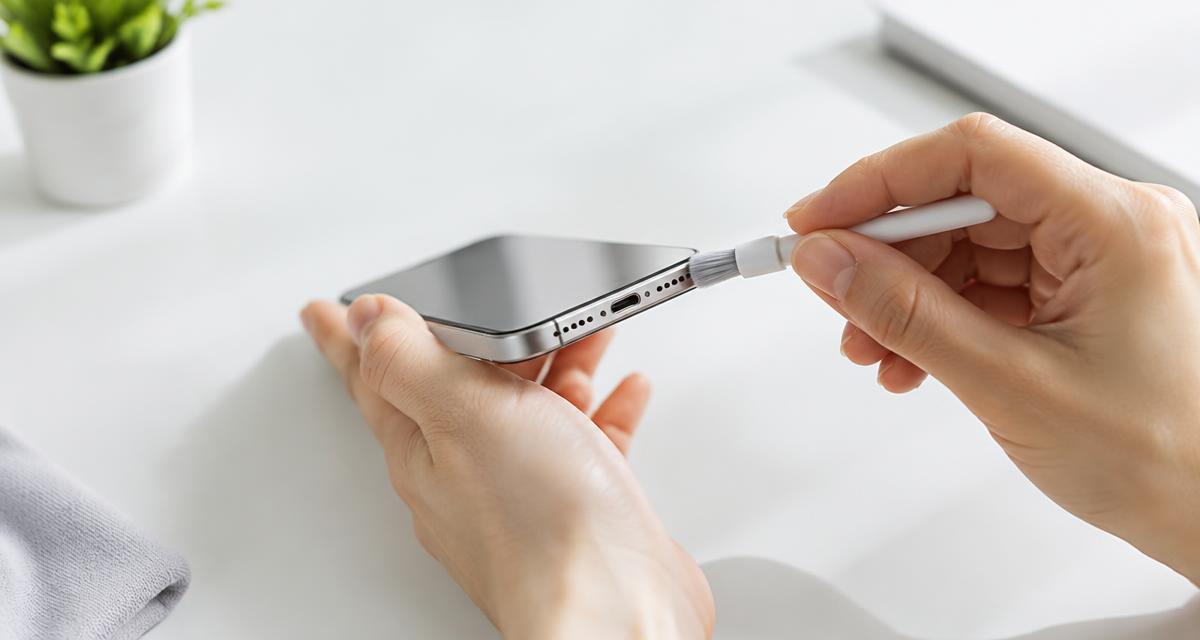
Dry lint near a grille is different from moisture inside a speaker assembly. A sweep may move loose particles, but packed pocket lint often needs careful exterior cleaning. Follow the device manufacturer’s guidance. A clean, dry, soft brush may be appropriate for some surfaces, while other finishes need a different method. Never force bristles through an opening.
Water can temporarily change how a speaker sounds, but vibration does not make a wet device safe to charge. Sticky drinks, salt water, and cleaning chemicals can leave deposits or cause corrosion even after the surface looks dry. If the device was submerged, becomes hot, or behaves unexpectedly, stop testing and follow manufacturer instructions. Do not keep using sound as a substitute for assessment.
Device-specific tips for phones and tablets
On an iPhone, check where sound actually comes from before deciding that a grille is blocked. Similar-looking openings are not necessarily matching speakers. The earpiece and bottom speaker can have different roles during calls and media playback. Remove any screen protector or case edge that overlaps an audio opening, without peeling apart the device itself.
On Android phones and tablets, speaker placement and audio processing vary by model. Temporarily disable optional equalizer effects if you want a simpler comparison, and note their original settings. A tablet with several speakers may change its output with orientation. Keep the device in the same position before and after cleaning so you do not mistake a routing or placement change for an improvement.
Troubleshooting when the cleaner seems silent
First check the media volume rather than the ringtone volume. Browsers usually need a direct tap or click before they can play audio. Keep the page active, confirm the browser tab is not muted, and check the selected output device. A connected car stereo, monitor, or wireless earbud can receive the sound instead of the phone speaker.
If the sweep plays but everyday audio remains muffled, compare several recordings. One poor stream or low-quality voice message can create a misleading result. Try the Speaker Test to check channels, then listen to speech at a moderate level. If only calls are affected, the earpiece, call settings, or network audio may be involved. A cleaning sweep cannot isolate all of those causes.
Safety boundaries for speaker cleaning
Do not use maximum volume as the default. More output does not necessarily produce better cleaning, and sustained loud playback can stress small speakers or disturb people nearby. Keep the device away from your ears, children, and pets while testing. Stop immediately if the speaker crackles sharply, the casing vibrates unusually, or the device becomes warm.
Avoid needles, pins, compressed air, heat guns, and liquid poured into openings. These can damage meshes, seals, microphones, or the speaker itself. Never open a sealed device just to follow an online cleaning tip. When dirt is embedded, a grille is torn, or distortion persists at low volume, a qualified repair provider can assess the hardware more reliably than repeated sound playback.
Quick answers and useful next steps
Can a speaker cleaner fix every muffled speaker? No. Obstruction, moisture, software settings, damaged components, and the recording itself can sound similar. Can you use the tool with headphones? You can route audio there, but doing so will not clean your phone speaker. Avoid wearing headphones during a cleaning attempt because the sweep can be unpleasant.
How often should you run it? Use it when troubleshooting a specific symptom rather than as a daily ritual. If a brief, comfortable attempt makes no difference, move on to checking output settings and safe exterior cleaning. Choose Water Eject for recent moisture, Speaker Test for channel checks, and professional advice when the fault persists. Keep realistic expectations: this is an audio tool, not a repair guarantee.